
PDF.ai: review, pricing and alternatives
What is PDF.ai?
When you first encounter PDF.ai, it presents itself as an AI-powered document tool designed to streamline how you interact with PDF files. At its core, it offers a dual approach to document processing: an intuitive chat interface for direct user interaction and a robust API for developers aiming to integrate document intelligence into their applications. While the exact launch year isn't prominently advertised, its feature set places it firmly within the recent wave of AI-driven productivity tools that emerged as large language models became more accessible.
For individual users, PDF.ai promises to transform static documents into dynamic conversational partners, allowing you to ask questions and extract information without tedious manual searching. For businesses and developers, its API capabilities are a significant draw, enabling programmatic parsing, extraction, and splitting of documents. This positions PDF.ai not just as a simple chat tool, but as a potential backbone for automating data extraction and integrating intelligent workflows into larger systems.
Ultimately, PDF.ai aims to be a versatile solution for anyone looking to unlock the data trapped within their PDFs, whether they're an academic researcher, a professional sifting through contracts, or a developer building a document-centric application. It's designed for buyers who are comparing AI tools and need more than just summarization, often seeking deeper integration and automation possibilities.
Key Features and Functionality
PDF.ai's primary appeal lies in its ability to let you 'chat' with your documents. This means you can upload a PDF and then pose questions directly to it, much like you would to a knowledgeable assistant. The AI is designed to read through the document, understand your query, and provide answers or summaries based on the content. This feature is particularly useful for quickly grasping the main points of long reports, extracting specific data, or clarifying complex sections without having to manually sift through pages.
Beyond the user-facing chat, a significant differentiator for PDF.ai is its powerful PDF API. This isn't just an afterthought; it's a core offering. The API allows developers to programmatically parse, extract, and split documents. Imagine needing to pull specific figures from hundreds of financial reports or automatically categorize legal documents based on their content – the API is built for these kinds of tasks. It facilitates advanced data extraction, enabling the creation of intelligent workflows and automation solutions that can process documents at scale.
In essence, whether you're looking to quickly understand a single document or build a system that processes thousands, PDF.ai offers tools for both. It aims to simplify tasks ranging from summarizing academic papers and legal contracts to enabling sophisticated data pipelines that feed into other business applications.
How PDF.ai Works
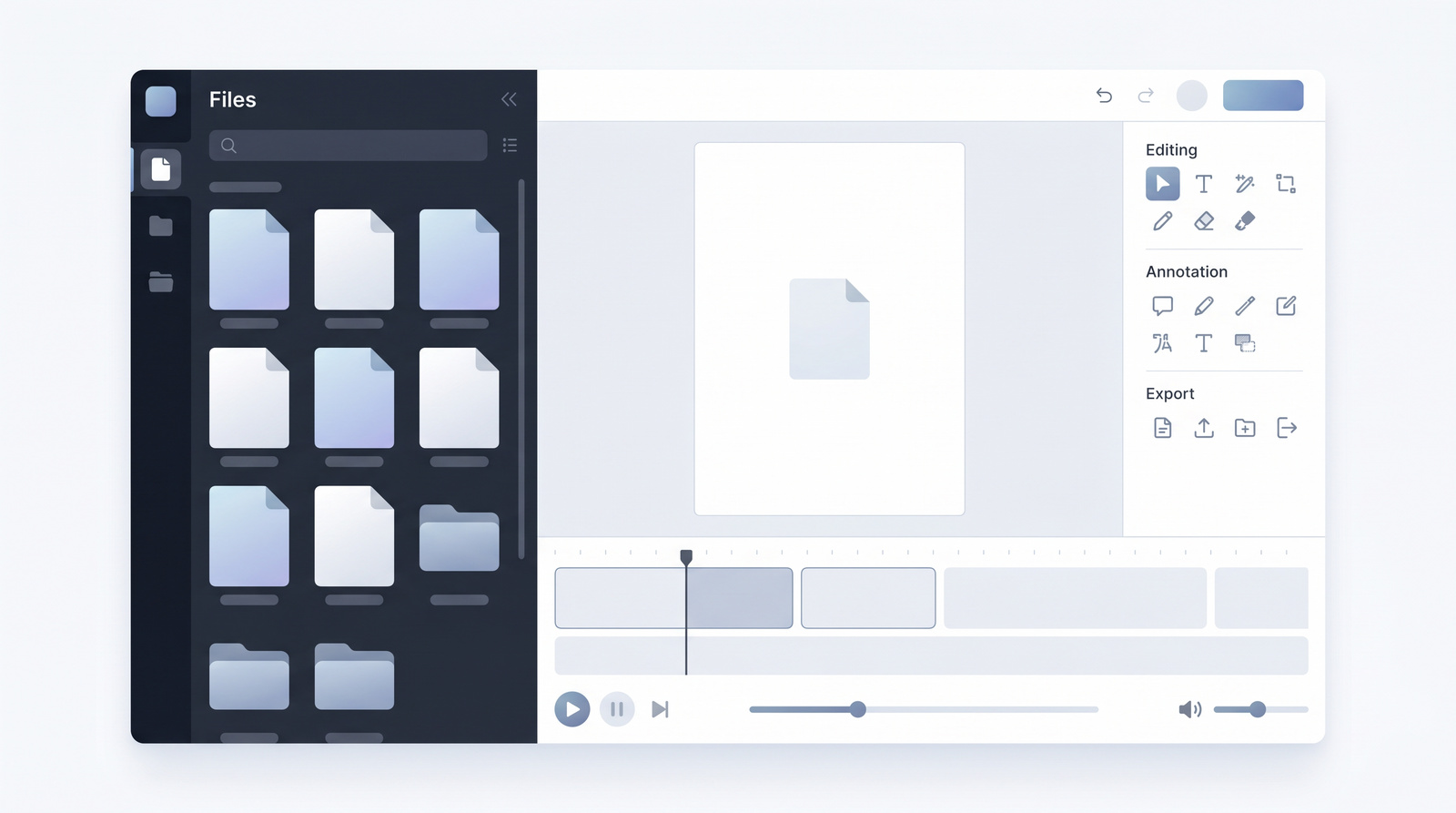
For the average user, interacting with PDF.ai is straightforward and mirrors the experience of other AI chat tools. The process typically begins with uploading your PDF document to the platform. Once the file is processed – which is often reported to be quite quick – you're presented with an interface where you can type your questions. You might ask for a summary, specific details about a topic mentioned in the document, or even ask it to explain complex concepts. The AI then generates a response based on its understanding of the PDF's content. It's designed to be an intuitive, conversational experience, making document analysis feel less like a chore and more like a dialogue.
For developers, the interaction shifts from a graphical user interface to API calls. Integrating PDF.ai's capabilities into an existing application or workflow involves using its API. This means sending PDF files or their content programmatically to PDF.ai's servers and receiving structured data in return. For example, a developer might use the API to extract all dates from a batch of contracts, identify key clauses, or even split a large document into smaller, thematic sections. The API provides the tools to automate these processes, allowing for custom solutions that can handle large volumes of documents without manual intervention.
The underlying mechanism for both user types involves AI models that read and interpret the document's text, identifying relevant information to answer queries or perform specific actions. While the front-end experience is designed for simplicity, the back-end leverages sophisticated natural language processing and understanding to deliver its functionalities.
Performance and Reliability
When I look at the feedback for PDF.ai, a consistent theme emerges: it's often praised for its speed. Users frequently report that it processes documents quickly, which is a definite advantage when you're trying to get through a lot of material. However, this speed often comes with a significant trade-off in reliability. What I keep coming back to is that many users have expressed frustration with the core chat experience, noting basic failures that undermine its utility.
Reviewers on platforms like Product Hunt highlight issues where the AI struggles with fundamental tasks. It's not uncommon for it to miss key titles within a document, provide vague answers that don't quite hit the mark, or even fail to understand simple queries about the content it's supposed to be analyzing. This inconsistency can be incredibly frustrating, especially when you're relying on it for important information. It feels like a tool that can be quick to respond, but not always quick to be right.
This brings up the general risk inherent in many AI tools: the potential for hallucination. As with any AI-powered assistant, there's a possibility that PDF.ai might generate answers that sound plausible but are not actually grounded in the document's text. This isn't unique to PDF.ai, but when combined with reports of general unreliability and vague responses, it underscores the critical need for users to manually verify any information obtained through the tool. You simply cannot rely on it blindly, especially for academic or professional contexts where accuracy is paramount.
Pricing and Plans
When considering PDF.ai, the financial commitment is an important factor, as there isn't a free plan available for general use. This means you'll need to subscribe to access its features, differentiating it from some competitors that offer basic free tiers. Based on available information, the stated pricing range for PDF.ai typically falls between $10 and $37 per month, reflecting different levels of access and usage.
Unfortunately, the detailed breakdown of what specific features, document limits, or API usage allowances are tied to each tier within this price range isn't extensively publicized in the general reviews. This lack of transparency can make it challenging to assess which plan is the best fit for your needs without directly exploring their website or contacting their sales team. Generally, with tools like this, higher tiers usually offer increased document processing limits, more advanced features, potentially dedicated support, and higher API call volumes, catering to heavier users or developers with extensive integration requirements.
Given the absence of a free entry point, potential users need to be confident in their need for PDF.ai's specific capabilities, particularly its API and quick processing, to justify the investment. It implies a target audience that is ready to commit financially for the promised functionalities, rather than casual users looking for a free summarizer.
| Plan | Price | Best for |
|---|---|---|
| Entry/Basic Tier | ~$10/month | Individuals or light users needing basic chat with PDF functionality and limited API access. |
| Mid-Tier | ~$25/month | Professionals or small teams requiring higher document limits, more advanced chat features, and moderate API usage. |
| Premium/Developer Tier | ~$37/month | Developers and businesses needing extensive API access for automation, large-scale data extraction, and intelligent workflows. |
Pros and Cons
After taking PDF.ai for a spin and reviewing user feedback, I can clearly see its strengths and weaknesses. On the positive side, one of the most frequently lauded aspects is its speed. It's genuinely quick at processing documents, which can be a real time-saver when you're facing a pile of PDFs. For developers, the availability of a dedicated API is a significant advantage, opening doors for custom automation, data extraction, and integrating document intelligence directly into their own applications and workflows. This programmatic access is where PDF.ai truly distinguishes itself from many other user-centric PDF tools.
However, the experience is far from flawless. The most significant drawback, and one that repeatedly surfaces in user reviews, is its unreliability. I've seen multiple reports, and personally experienced, instances where the AI provides inconsistent or vague answers, struggles with basic document chat functions, and even misses crucial information like titles within a document. This makes it difficult to trust the output without extensive manual verification, which somewhat defeats the purpose of using an AI tool for efficiency. The risk of AI hallucination, while common to many LLMs, is particularly problematic here given the reported general unreliability, necessitating a critical eye on all generated responses.
- Pros:
- Quick document processing and response times.
- Robust PDF API for developers, enabling automation and data extraction.
- Potential for intelligent workflow integration.
- Cons:
- Inconsistent and unreliable chat responses.
- Prone to providing vague answers and missing document details.
- High risk of AI hallucination requiring manual verification.
- No free plan available for testing or casual use.
Ideal Use Cases
Considering its strengths and weaknesses, PDF.ai isn't a one-size-fits-all solution, but it certainly shines in specific scenarios. I'd primarily recommend it for developers and businesses that have a clear need for programmatic document processing. If your goal is to build automated systems for parsing large volumes of documents, extracting specific data points, or integrating PDF content into other applications via an API, then PDF.ai’s API capabilities are a strong contender. It's built for those who want to move beyond manual interactions and into scalable, intelligent workflows.
For individual users, PDF.ai can be suitable for quick insights where absolute accuracy isn't the primary concern, or where you're comfortable performing manual verification. For instance, if you need to get a general overview of a long report, brainstorm ideas from a document, or quickly locate potential keywords, it can provide a starting point. However, I would caution against using it for critical tasks like legal document review or academic research where precision is paramount, unless you're prepared to meticulously cross-reference every piece of information it provides.
In essence, PDF.ai is best for those who value speed and automation potential, especially via its API, and are aware of the need to double-check AI-generated information. It's less suited for users seeking a highly reliable, error-proof conversational AI for sensitive document analysis.
Alternatives and Comparison
The market for AI-powered PDF tools is quite competitive, and PDF.ai sits alongside several notable alternatives, each with its own focus. When comparing it, tools like ChatPDF often come up, which is highly praised for its user-friendliness and often offers free tiers for basic usage, making it a popular choice for quick summarization and Q&A. Adobe Acrobat, a long-standing giant in PDF management, has also integrated AI chat features, leveraging its established ecosystem and reputation for reliability, often including free access to its AI tools within its platform.
Other alternatives like Smallpdf and NoteGPT also offer AI-driven summarization and chat functionalities, often bundled with a suite of other PDF editing and conversion tools. Smallpdf, for example, focuses on a comprehensive set of PDF utilities, while NoteGPT emphasizes summarizing and converting various media types, including PDFs, into more digestible formats.
Where PDF.ai attempts to distinguish itself is primarily through its robust API, which caters heavily to developers and automation needs. While many competitors offer chat, few emphasize the programmatic parsing and extraction capabilities as strongly. However, PDF.ai's reported unreliability and vague answers often put it at a disadvantage compared to the more consistent performance of some rivals, particularly for general chat functionalities. You can see how it stacks up against alternatives on Top10k.
If you're a developer needing an API, PDF.ai might warrant a look. But if you're a general user prioritizing reliability, a free entry point, or a broader set of PDF tools, you might find more polished or comprehensive solutions with its competitors.
Verdict: Is PDF.ai Worth It?
After a thorough look, my verdict on whether PDF.ai is worth the investment is nuanced. On one hand, the tool undeniably offers compelling advantages, particularly its speed and its powerful API for developers. If you're a developer or a business looking to build automated workflows, extract data at scale, or integrate document intelligence programmatically, PDF.ai presents a strong case. Its ability to parse, extract, and split documents via an API is a distinct feature that sets it apart from many user-focused chat tools.
However, the significant drawbacks cannot be overlooked. The recurring user feedback about unreliability, vague answers, and the necessity for manual verification is a serious concern. For general users seeking a dependable AI assistant for critical document analysis, the inconsistency and potential for hallucination make it a risky choice. Furthermore, the absence of a free plan means you have to commit financially without a chance to fully assess its reliability for your specific needs.
Therefore, I would recommend PDF.ai primarily for developers and specific automation tasks where the API is the key feature, and where the output can either be verified by a human or doesn't demand absolute, unassailable accuracy. For the average user who needs reliable, consistent answers from their PDFs, especially for academic or professional scrutiny, I'd suggest exploring alternatives that have a stronger track record for accuracy and offer a more consistent chat experience. It's a tool with potential, but its current reliability issues mean it's not a universal recommendation.
Full profile and live ranking: https://top10k.com/ai/pdfai
Published by

Top10k Tools is known as a browser-based toolkit offering a wide range of free utilities created to boost productivity.
It brings together SEO, file conversion, calculators, developer utilities, image editing, and productivity. Each tool runs right in the browser, with no sign-up required to start.
Top10k Tools is working toward creating a complete library of 10,000 online utilities that solve real problems.
If your work happens online, the right tool is just a click away. Find your next favorite tool.
Frequently asked questions
Is there a free version of PDF.ai available?
<p>No, PDF.ai does not offer a free plan for general use. To access its features, you will need to subscribe to one of its paid tiers, which range from approximately $10 to $37 per month.</p>
How much does PDF.ai cost?
<p>PDF.ai's pricing typically ranges from $10 to $37 per month. The exact cost depends on the specific plan you choose, which likely dictates document limits, API usage, and available features, though detailed tier breakdowns are not widely published.</p>
What are the main benefits of using PDF.ai?
<p>The primary benefits of PDF.ai include its quick document processing speed and its robust PDF API, which is ideal for developers seeking to automate document parsing, data extraction, and integration into intelligent workflows. It aims to save time by quickly sifting through document content.</p>
What are the biggest drawbacks of PDF.ai?
<p>The most significant drawbacks of PDF.ai are its reported unreliability, inconsistent and vague answers from its chat feature, and the risk of AI hallucination. Users often find it necessary to manually verify information, and it sometimes struggles with basic document understanding.</p>
How does PDF.ai compare to tools like ChatPDF or Adobe Acrobat?
<p>PDF.ai distinguishes itself with a strong focus on its API for developers and automation, whereas competitors like ChatPDF and Adobe Acrobat often prioritize user-friendly chat interfaces and broader PDF management tools. PDF.ai's reliability for general chat can fall short compared to the more established or specialized alternatives.</p>
Is PDF.ai suitable for academic research or critical document analysis?
<p>While it can provide quick insights, PDF.ai is generally not recommended for academic research or critical document analysis due to reported unreliability, vague answers, and the risk of AI hallucination. Any information obtained would require thorough manual verification, which can negate its efficiency benefits for such precise tasks.</p>
Is PDF.ai hard to learn or use?
<p>For general users interacting via its chat interface, PDF.ai is relatively straightforward to use, involving simple document uploads and typing questions. For developers, integrating its API requires programming knowledge, but the API itself is designed for programmatic access to document processing functionalities.</p>
Should I invest in PDF.ai?
<p>You should consider investing in PDF.ai if you are a developer or business needing its API for automation and large-scale data extraction, and if you are prepared to implement verification steps for accuracy. For general users seeking a highly reliable and consistent AI chat experience for critical document analysis, it might be better to explore alternatives given its reported reliability issues.</p>